 Plasty
On this page
A selected profile comparison
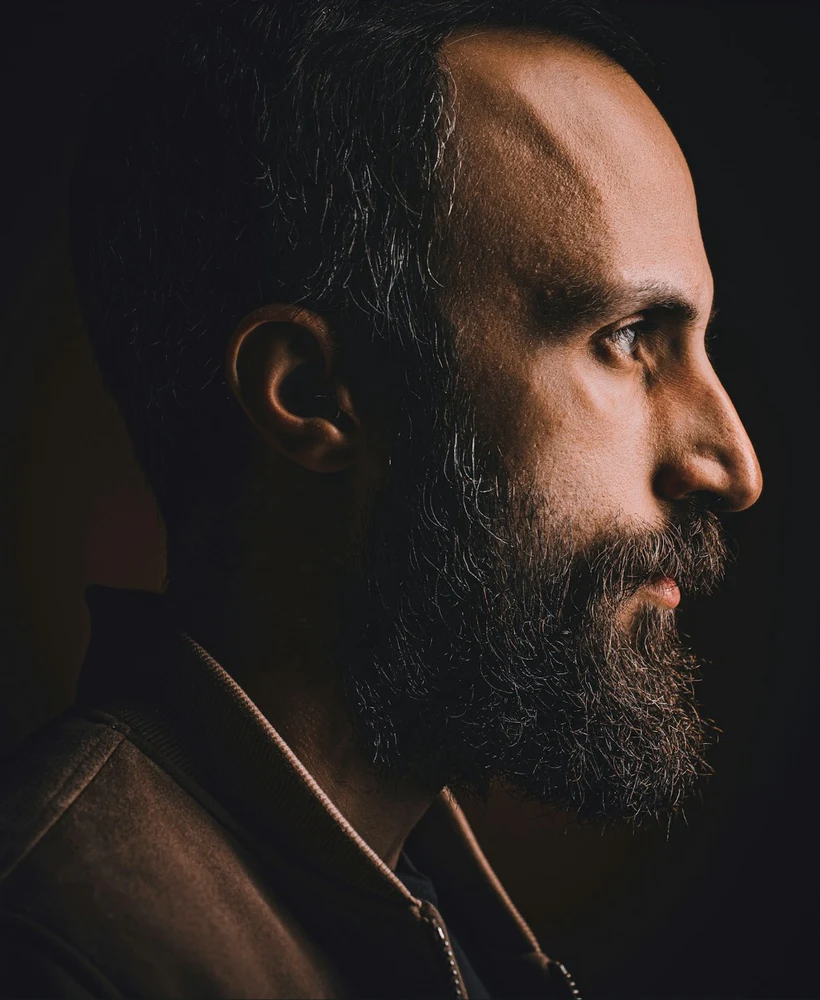
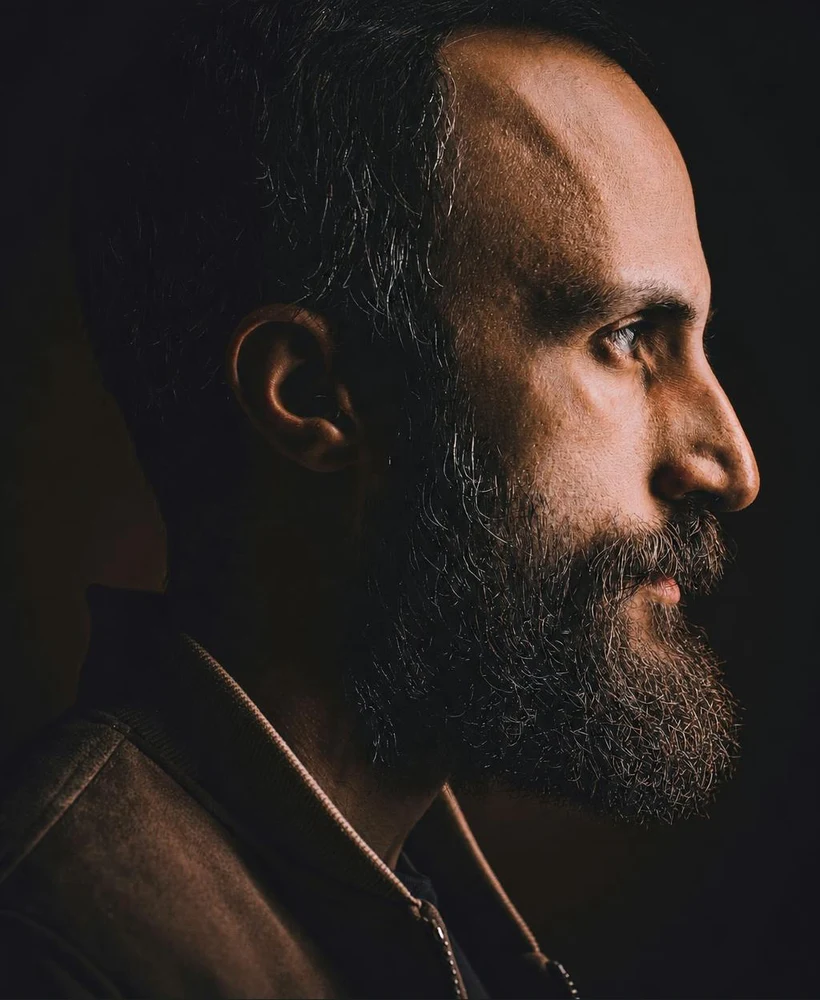
Stock portrait and an actual PlastyAI test output. The model is not a patient or an endorser. This selected example is not a success-rate claim or a prediction of treatment results.
What changed in this pair
The lower front silhouette extends farther forward in the AI concept. The nose, lips and overall profile remain broadly similar. This makes the pair useful for discussing a direction of change without asking the viewer to compare two unrelated poses.
The portrait includes a substantial beard. We can observe its outer contour, but cannot claim to see the underlying chin anatomy. Some beard texture is regenerated. That distinction matters: a plausible outline in an edited photograph does not show how a person's skin, bone or facial hair would behave after treatment.
Genioplasty, chin implants and image previews
Someone searching for genioplasty may want procedure information, while someone using a chin simulator may simply want to explore a preference. An image editor cannot choose between a surgical approach, an implant, another treatment or no treatment. Those decisions require information that is not available from the displayed photo.
Keep the visual question separate: are you exploring apparent forward projection, height or width? For terminology and questions to take to a qualified clinician, use our chin surgery and genioplasty guide. This walkthrough is about reading a picture, not selecting a procedure.
A sample brief for a profile concept
Explore a visibly more forward chin outline. Keep chin height, the lips, nose, neck, jawline and head angle unchanged. Preserve natural texture.
This is an example of a bounded brief. It does not specify millimeters or a surgical movement. Read the proposed plan and correct unrelated additions before approving an image. If you really want to compare the whole jawline, make that a separate request so you can tell which change affected the appearance.
Check these boundaries before accepting an edit
- Head angle: tucking or lifting the head can change the silhouette independently of the requested edit.
- Lower lip: watch for an unrequested shift or different mouth opening.
- Neck and jaw: a slimmer neck can create a stronger-looking profile without the desired chin change.
- Hair and beard: inspect for a newly invented edge, a blurred patch or a different beard length.
For your own photo, choose a source where the target outline is visible. A beard-covered boundary limits what can be judged, even if the overall result looks realistic. See when hair or accessories hide the edit.
Save a useful comparison, not a promise
Keep both images at the same size and note what you would preserve in a later version. The original remains a valid preference. If you share a concept, keep its AI label attached so another person does not mistake it for a clinical before-and-after photograph.
Use the chin photo preparation guide for choosing a source and the saving guide for organizing results. Review the displayed credit cost before requesting another generation; a more dramatic output is not automatically a better comparison.
Related guides
By PlastyAI editorial · Published . Written with AI assistance and checked against our photo-preview workflow. Product guidance, not clinical advice; not clinically reviewed. Send a correction.